
Dedicated Mac Studio
Powerful Apple Silicon hosted in a secure datacenter, ideal for CI/CD, iOS builds, and macOS workloads.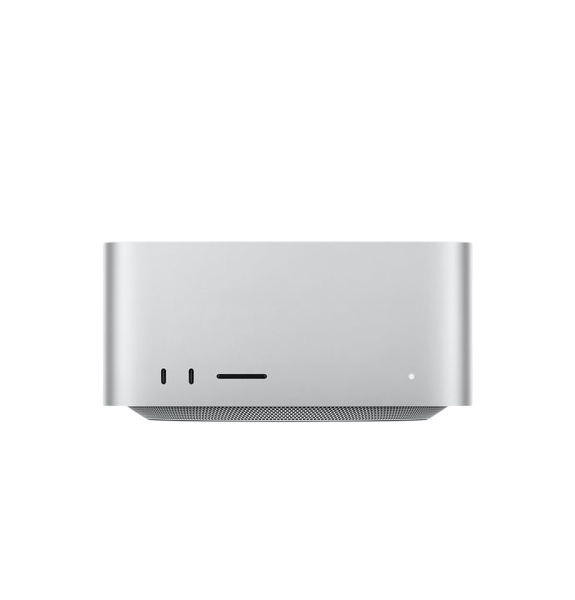
Unbeatable Features
Apple Silicon
Native ARM performance for macOS builds, CI pipelines, and Xcode workloads.
DDoS Protection
Every host is protected by our network-level DDoS mitigation.
1 Gigabit Uplink
Fast, low-latency connectivity for large Xcode caches and artifact transfers.
macOS Tahoe
All machines run macOS Tahoe, the latest macOS release, kept current for full compatibility.
Full Remote Access
Screen Sharing, SSH, and remote management available out-of-the-box.
Global Peering
Well-connected transit for reliable delivery to your users worldwide.
About Mac Studio hosting
When the Studio is worth it over a mini, what the Max and Ultra chips bring, and why high unified memory is the specification that matters most.
The Studio is built around Apple's top silicon tiers, which bring considerably more CPU cores, a much larger GPU, far greater memory bandwidth, and much higher unified memory ceilings than anything available in a mini. Where a mini is sized around one pipeline, a Studio is sized around several at once, or around a single workload big enough to saturate a mini on its own.
The clearest reasons to choose one: sustained parallel builds where several jobs run on the same machine, video and 3D work that leans on the GPU and media engines, and AI models that simply will not fit in a mini's memory. For a single Xcode project on its own, a mini is usually the more sensible purchase.
Compare Mac mini hostingApple's desktop silicon comes in tiers, and the Studio uses the top two. Against the base and Pro chips found in a mini, the Max and Ultra parts bring substantially higher CPU core counts, much larger GPUs, more dedicated media engines, and higher ceilings on how much unified memory can be fitted.
Memory bandwidth is the part people tend to overlook. On workloads that stream large amounts of data through the GPU, such as AI inference and video encoding, how fast memory can be read matters as much as how much of it there is, and these tiers are far ahead of the rest of the lineup on that measure. Ultra parts go further again by joining two Max dies into a single chip, roughly doubling cores and bandwidth in one machine.
Which generation and configuration we have available varies with stock. The specifications for everything currently in inventory are listed above, and if you need something specific that is not shown, ask us.
Ask about current stockThis is where a Studio earns its price. Because Apple Silicon shares one pool of unified memory between the CPU and GPU, all of it is addressable by the GPU. Matching a high-memory Studio on a conventional server means renting a discrete accelerator with a comparable amount of VRAM, which costs several times more per month.
Memory capacity is the hard limit on which models you can run at all. As a rough rule, a 4-bit quantized model needs somewhere around 0.6GB per billion parameters plus headroom for its context window, so you can work out what any given configuration will hold from the specifications listed above. More memory also buys you longer context windows, or the ability to keep several models resident at once.
The tooling is native and mature. MLX is Apple's own framework and is well optimized for the platform, while llama.cpp, Ollama, and similar serving stacks all run natively. It is a strong fit for private inference on data that cannot go to a third-party API, always-on internal assistants, retrieval pipelines that need a local embedding model, and batch generation work. It is built for inference rather than large-scale training, which still belongs on discrete accelerators.
See our managed AI agent hostingOn Apple Silicon there is one pool of high-bandwidth memory that the CPU, GPU, and Neural Engine all address directly. Nothing has to be copied across a bus from system RAM into dedicated video memory before the GPU can use it, which removes a step that is often the real bottleneck in GPU work.
The practical consequence is that unified memory is worth considerably more than the same number of gigabytes in a conventional machine, because your GPU workload is not capped by a separate and much smaller VRAM budget.
What that buys you depends on the workload. For AI inference it decides which models you can run at all. For video work it sets how many streams and how high a resolution you can keep in flight. For build machines it sets how many parallel jobs and simulators you can run before the machine starts swapping. In every case it is the specification worth spending on first.
Apple's Max and Ultra chips include dedicated hardware media engines for encoding and decoding H.264, HEVC, ProRes, and ProRes RAW. That purpose-built silicon is why a Studio moves through timeline scrubbing and export work that would pin a conventional CPU at full load for far longer, and the Ultra parts carry more of these engines than the Max parts do.
The large GPU core counts also make a Studio a capable remote render node for Blender, Cinema 4D, and DaVinci Resolve, or a shared machine that a distributed team drives remotely rather than everyone needing their own workstation.
Xcode runs only on macOS, and Apple's license terms require it to run on Apple hardware. There is no supported way to build, code sign, and notarize an iOS, iPadOS, watchOS, or tvOS app on a Linux or Windows CI runner, which is why almost every mobile team ends up needing a Mac somewhere in the pipeline.
Hosting that Mac rather than keeping one under a desk means your build machine is on a proper network with real uptime, reachable by your whole team and your CI system, and not dependent on someone's office power staying on. A Mac Studio is the usual answer for teams that have outgrown a laptop doing double duty as a build server.
Every machine runs macOS Tahoe, the current release, and we keep it current so the latest Xcode and toolchain versions are supported out of the box.
Downgrading to an earlier version of macOS is not something we offer at this time. If your build depends on an Xcode release that requires an older macOS, get in touch before ordering so we can confirm whether we can help.
Check compatibility with usYou get full remote access from the moment the machine is handed over. Screen Sharing and standard VNC clients give you the macOS desktop when you need a GUI, which matters for Xcode, Simulator, and anything involving Apple's signing dialogs.
For everything else there is SSH, which is how most people drive a build machine day to day: install Homebrew, set up your CI runner, trigger builds, and pull artifacts back down. Remote management is available as well, so you are not locked out if the desktop session becomes unresponsive.
Your Mac Studio is a real, physical Apple machine reserved entirely for you. It is not a virtual machine, not a container, and not a time-shared slice of somebody else's hardware.
That distinction matters more on Apple Silicon than most places. Build times, thermal behavior, and Simulator performance are all wildly inconsistent on shared Mac infrastructure, and a machine of your own is the only way to get results you can actually plan around.
Each machine sits on its own uplink in the datacenter with the bandwidth allowance listed alongside the configuration above. That is what keeps large Xcode caches, derived data, and build artifacts moving quickly instead of becoming the slowest part of your pipeline.
DDoS protection is included at no extra cost. Filtering is handled upstream by Path Network, our transit provider, so attack traffic is scrubbed before it reaches your machine.